
01
Check the real domain
Read the address from right to left. The part just before the first slash is the true destination.
Paste a suspicious link before you click it.
We’ll scan it for the warning signs phishers rely on.
Free for AwareX client employees and anyone who needs a quick check. No sign-up required.
How to check, verify, and actChecked in your browser. The link is never visited or stored.
AwareX is AI-powered human risk testing: it learns your business, runs realistic simulations across email, SMS, voice, QR codes, and deepfakes, and adapts learning to how your people respond.
See AwareX in Action - Book a demoInspect a suspicious email or chat link before opening it. Do not paste confidential document links, password-reset links, or links containing access tokens.
Copy the suspicious link without opening it, and paste it into the checker. Avoid links containing private access tokens.
Select Check link. Analysis runs in your browser without visiting the destination.
Review the warning signs. If anything seems wrong, use a trusted bookmark or contact the sender through a known channel.
Copy the link address without opening it.
Compare its destination with a known website or saved bookmark.
Confirm unexpected requests using a known phone number or a separate trusted conversation, not the contact details in the suspicious message.
Use a trusted bookmark instead of the message link. Report suspicious messages through your organization's approved reporting button or IT service desk. If you entered credentials, contact IT immediately.
This checks common URL warning signs, not live reputation or page contents. Even a link with no obvious signals can be unsafe.
A data breach doesn't have to be the end of the story. Make your next move a secure one.
Read the address from right to left. The part just before the first slash is the true destination.
“Verify now or lose access” is designed to make you act before you think. Slow down.
Instead of clicking, type the company’s address yourself or use a saved bookmark.
Protecting accounts takes more than one check. Pair careful link inspection and well-maintained domain records with unique passwords, multi-factor authentication, and an informed team.
Credential abuse was an initial attack vector in 22% of confirmed breaches analyzed in Verizon’s 2025 DBIR.
Verizon · 2025 DBIRIBM X-Force observed an 84% year-over-year increase in emails delivering infostealer malware in 2024.
IBM · 2025 X-Force IndexIdentity-based attacks accounted for 30% of total intrusions observed by IBM X-Force in 2024.
IBM · 2025 X-Force IndexYou don't wait for a fire to teach the exit route. Don't wait for a real attack to teach the pause, the verification, and the report. Free checks like this one show where you stand today. AwareX turns that awareness into a regular drill, so safe responses become the reflex your whole organization shares.
See how the drill works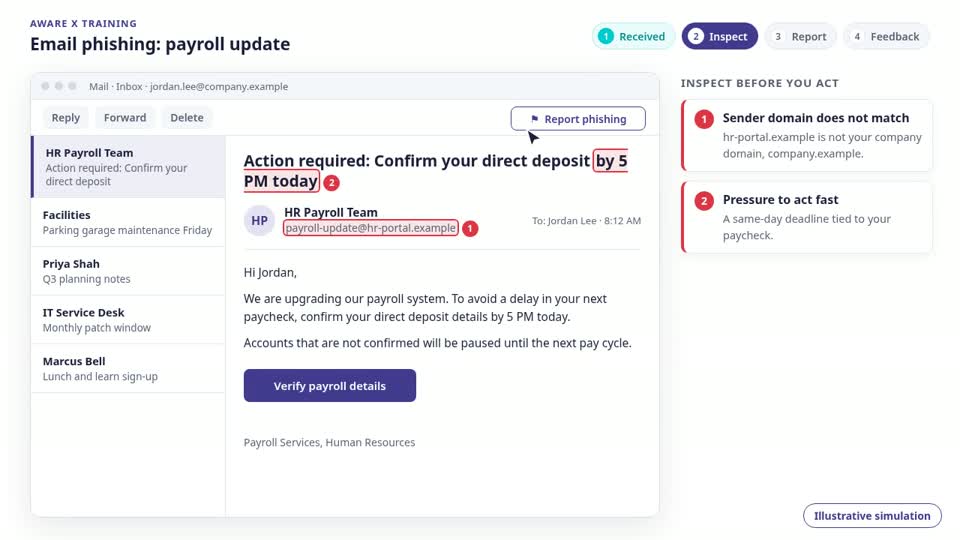
A realistic request. A moment to pause. A safer response to rehearse.
A signed policy fades within weeks. A rehearsed pause, verify, and report habit holds when a real message lands.
Short, contextual exercises arrive in the flow of work, in the channels your teams actually use, instead of a once-a-year course.
A miss is data for the next exercise, not a mark against a person. Repeated practice is what moves the numbers.
A checker examines an address, link, or record. AwareX is a New Age Human Risk Management platform that uses five AI agents to build contextual simulations and adapt learning to employee responses.
Practice the pause, verification, and report before a convincing request arrives. The illustration shows a sample check, not a connected campaign.
See AwareX in Action - Book a demo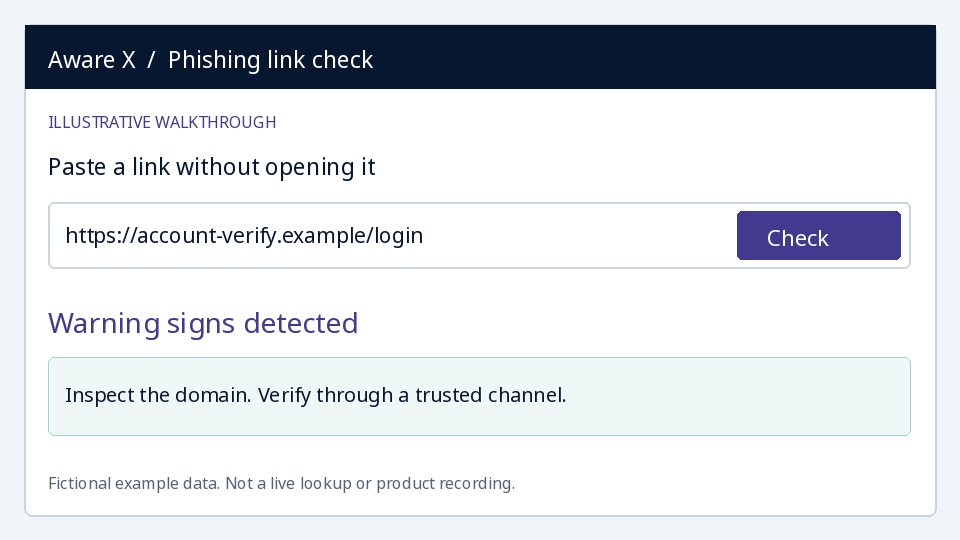
This free tool shows one signal. AwareX is a New Age Human Risk Management platform: five AI agents work together to test your people the way attackers would, and to turn every response into learning.
Learns your business from public context: departments, products, and tone, so every test is grounded in how your organization actually works.
Drafts and scores attack scenarios against your scope, the way a real attacker would plan them.
Writes on-brand emails, messages, and calls with realistic signatures and sender identities, ready for your review.
Compares predicted risk with how people actually respond, so the picture gets sharper after every wave.
Decides who needs practice next and routes learning to the people and teams that need it most.
A Phishing URL Checker result is one piece of the picture. Explore how AwareX connects realistic simulations, learning, and reporting for your organization.
The Phishing URL Checker examines a link for common warning signs, including misleading domains, unusual characters, and urgency keywords. Analysis happens in your browser without visiting the link. It is a warning-sign check, not a live reputation scan or a guarantee of safety.
Where we test
Identify, Measure, Prioritize, Reduce, Optimize, Validate, and Evaluate. AI connects business context, employee responses, and targeted learning to inform each next test.
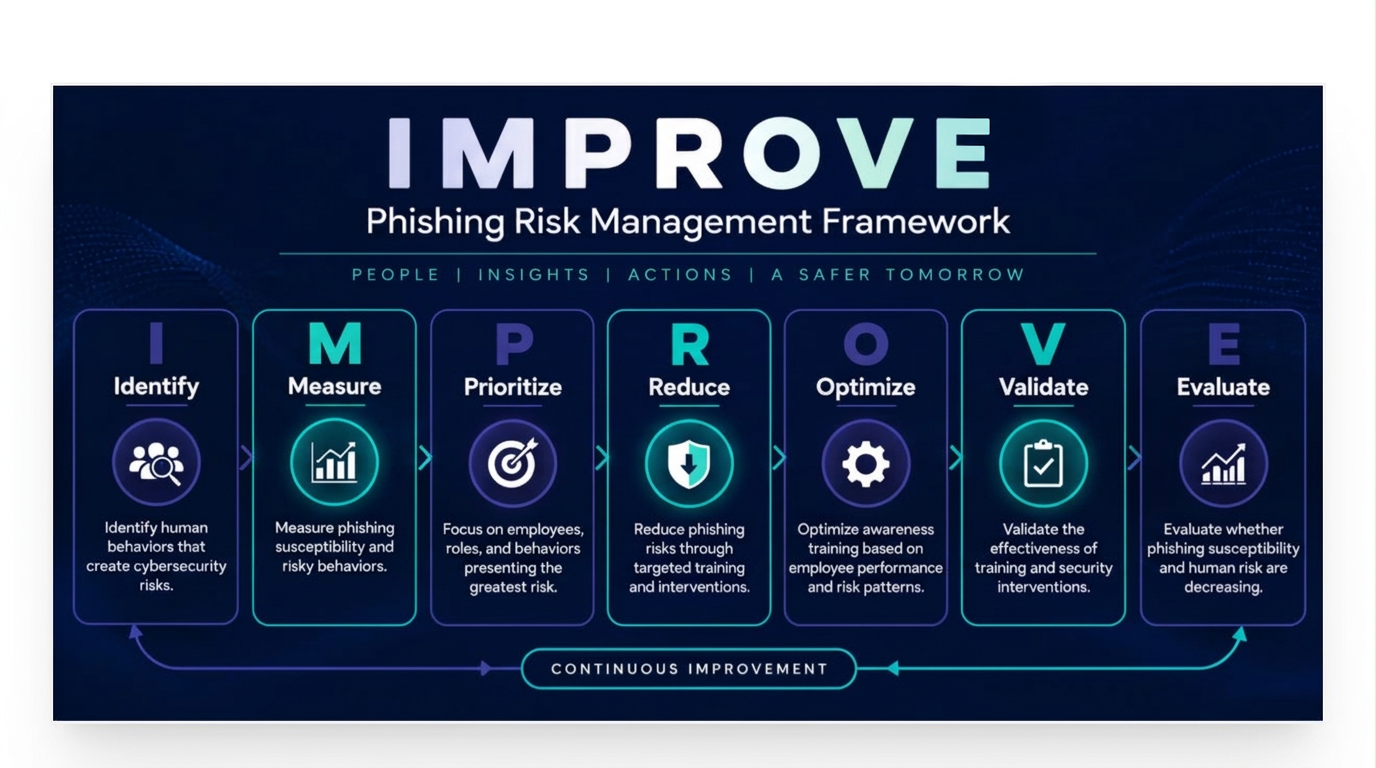
A free check tells you where you stand today. A partnership with AwareX turns that snapshot into a continuous, AI-powered program.
Simulations are written from your sector, your roles, and current events, so every test feels real to the person receiving it.
Every response informs the next test and the lesson that follows it, so training adapts as your risk changes.
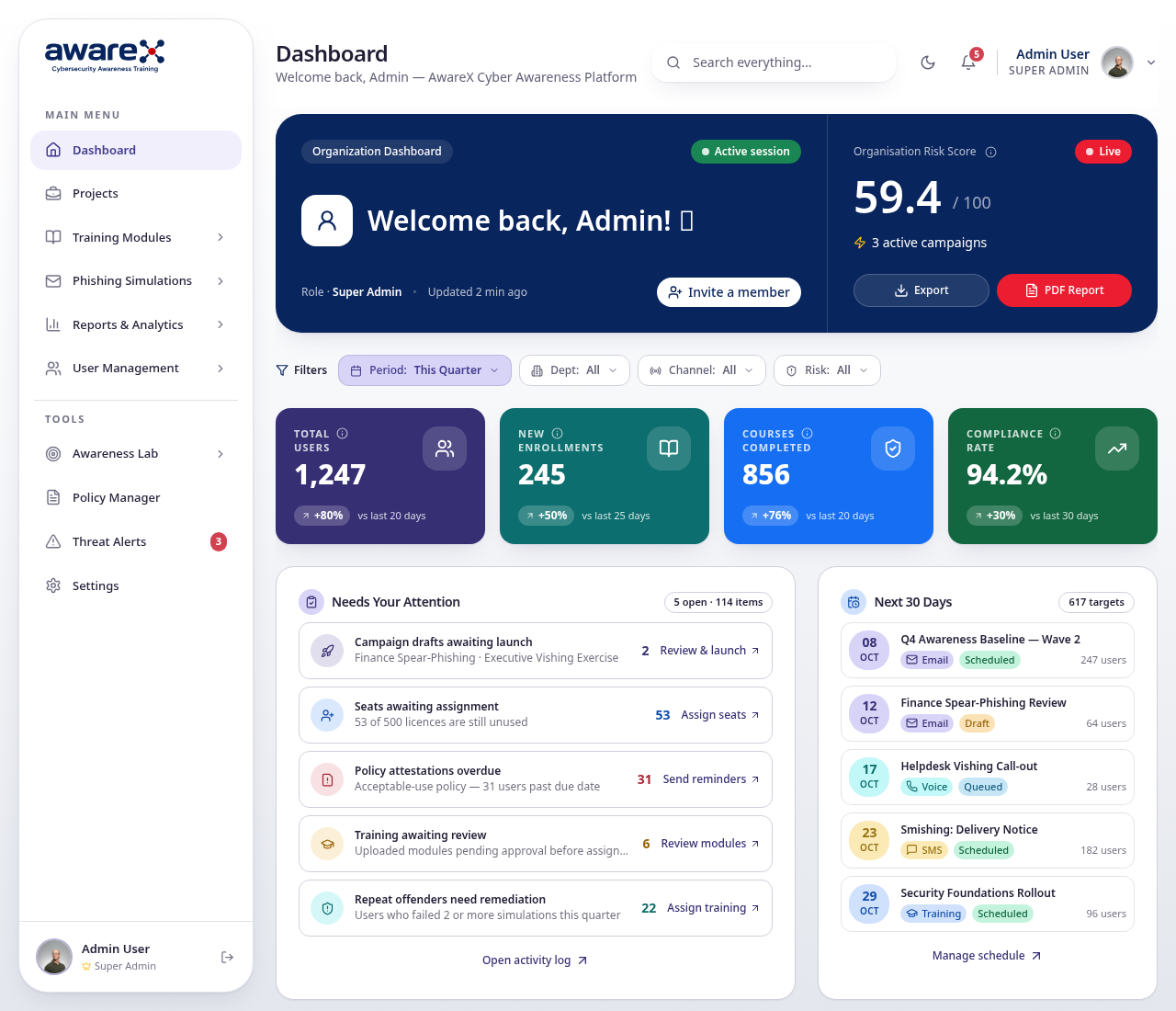
Dashboards, records, and compliance alignment give leadership and auditors a clear picture of progress.
Setup, campaign planning, and ongoing optimization from a team that runs these programs every day.
Free access, safe follow-up, and answers specific to this checker.
Yes. Every AwareX free tool is free to use, and you can run as many checks as you need.
No. There is no account, no sign-up, and nothing to install. Open the page, run the check, and read the result.
Do not click the link. Report the message to your IT or security team through your usual route, then delete it.
No. This checker looks for common warning signs in the URL, not a live threat database. A malicious link may look ordinary, and a legitimate link may trigger a warning.
No. The URL is analyzed in your browser without visiting the destination. This tool does not inspect page content, downloads, redirects, or the site’s reputation.
No. HTTPS encrypts the connection, but phishing websites can also have valid certificates. Check the actual domain and verify unexpected requests independently.